
On 12 April 2016 Let’s Encrypt closed its public beta and reached general availability, publishing the same day the specification of its v1 API for the ACME protocol (Automated Certificate Management Environment). The beta had opened on 3 December 2015; in the months between the two dates the Certificate Authority run by the Internet Security Research Group (ISRG) issued certificates for several million domains, by invitation and under usage limits. Against traditional commercial CAs the difference is not the price — free though it is — but that the whole certificate lifecycle runs without a human operator.
Context
Until 2015, putting HTTPS on a domain meant generating a Certificate Signing Request, sending it to a commercial CA (Comodo, GlobalSign, DigiCert, Symantec), passing an ownership check by email or file, downloading the certificate and installing it by hand. The certificate lasted one or more years and at expiry had to be re-issued through the same manual round. Two practical problems came out of this: for a small site the cost and friction were out of proportion, and certificates that expired because someone forgot were a recurring outage. In 2014 Google had announced that HTTPS would become a ranking signal, and the push towards encrypted transport as the default was already under way; what was missing was a way to issue certificates without keeping a human in the loop.
Architecture
ACME exchanges signed JSON messages over HTTPS between a client (running on the server that needs the certificate) and the CA’s ACME server. The flow, in the v1 made available on this date, goes like this:
- Account registration — the client generates a key pair and registers the public key with the ACME server. It signs later requests with that key (JWS), so the account identity is the key itself, not a username/password credential.
- Domain validation — for each requested name the CA offers challenges; the client solves at least one to prove it controls the domain. In 2016 the challenges are
http-01(publish a token in a file underhttp://domain/.well-known/acme-challenge/),dns-01(publish a TXT record at_acme-challenge.domain) andtls-sni-01(answer a TLS handshake with a self-signed certificate derived from the token and selected via SNI). - Issuance — once validation passes, the client sends the CSR and the CA returns the certificate signed by the intermediate.
- Renewal — it repeats the same steps; there is no separate renewal operation, you simply re-issue.
The certificate Let’s Encrypt issues is Domain Validation (DV) and is valid for 90 days. It issues no Organization Validation, Extended Validation or wildcard certificates. The chain of trust runs through the intermediate Let's Encrypt Authority X3, in turn signed by the ISRG root Root X1; since ISRG Root X1 is not yet in browser trust stores, the intermediate is also cross-signed by IdenTrust’s DST Root CA X3, already in place everywhere, so certificates validate immediately without waiting for direct inclusion of the ISRG root.
The critical point
The choice that conditions everything else is the 90-day lifetime. It is a defensive decision: a short-lived certificate narrows the window of damage from a compromised private key and lowers reliance on revocation, which works poorly in real TLS — CRLs and OCSP have coverage gaps and client-side soft-fail. A short life partly replaces the need to revoke: the certificate expires and that’s that.
The price to pay is that renewing by hand every 60-80 days is impractical. A yearly certificate you could forget once a year and get away with; a 90-day one kept by hand is an outage that sooner or later arrives. The short lifetime, put another way, forces automation: either you automate renewal via ACME, or you go back to a long-lived commercial certificate. This is the deliberate way the CA pushes the ecosystem towards clients running in cron.
ACME checks control of the domain at a given instant, not ownership. Whoever controls the content served at http://domain/.well-known/acme-challenge/, or the domain’s DNS records, or the TLS handshake on port 443, can obtain a certificate for that name. Part of the security surface thus moves onto DNS and hosting configuration: the takeover of an abandoned subdomain or a dangling DNS record become direct paths to issuance.
Implications
The protocol is public and under discussion at the IETF — there is an ACME working group and a series of drafts in progress — so clients and servers are not tied to Let’s Encrypt. Several clients already coexist: the EFF’s Certbot (Python, the official reference, with Apache and Nginx plugins), acme.sh (a shell script with no dependencies, handy on minimal machines), and lego (a Go library and CLI). That different clients run on the same protocol confirms ACME is an open interface, not an internal detail of the CA.
On the operational side, the right order is to automate before issuing in production: you install a client, confirm that automatic renewal works in staging, and only then point traffic at the certificate. The typical mistake is to treat Let’s Encrypt like a traditional CA — issue once by hand — and find the site in TLS error after three months.
Limits
As of 12 April 2016 concrete constraints remain. There are rate limits per registered domain and per IP address that make Let’s Encrypt poorly suited to unplanned mass issuance. There are no wildcard certificates: anyone with many subdomains has to list them as SANs in the same request or issue separate certificates, again within the rate limits. The tls-sni-01 challenge has security implications that depend on how shared hosting routes SNI, and it has to be assessed case by case against http-01. Finally, DV certifies that the transport to that domain is authentic and encrypted, not who sits behind the site. It guarantees the channel, not the identity of the party.
On my own site I removed the yearly commercial certificate and put Certbot in its place with a renewal timer; the point to look after was not issuance, which was immediate, but confirming that the web server reload after renewal happens without my having to step in.
- https://letsencrypt.org/2016/04/12/leaving-beta-new-sponsors.html
- https://datatracker.ietf.org/wg/acme/documents/
- https://github.com/ietf-wg-acme/acme
- https://letsencrypt.org/how-it-works/
- https://letsencrypt.org/docs/rate-limits/
- https://letsencrypt.org/certificates/
- https://www.eff.org/deeplinks/2016/03/new-name-and-roadmap-lets-encrypt-client
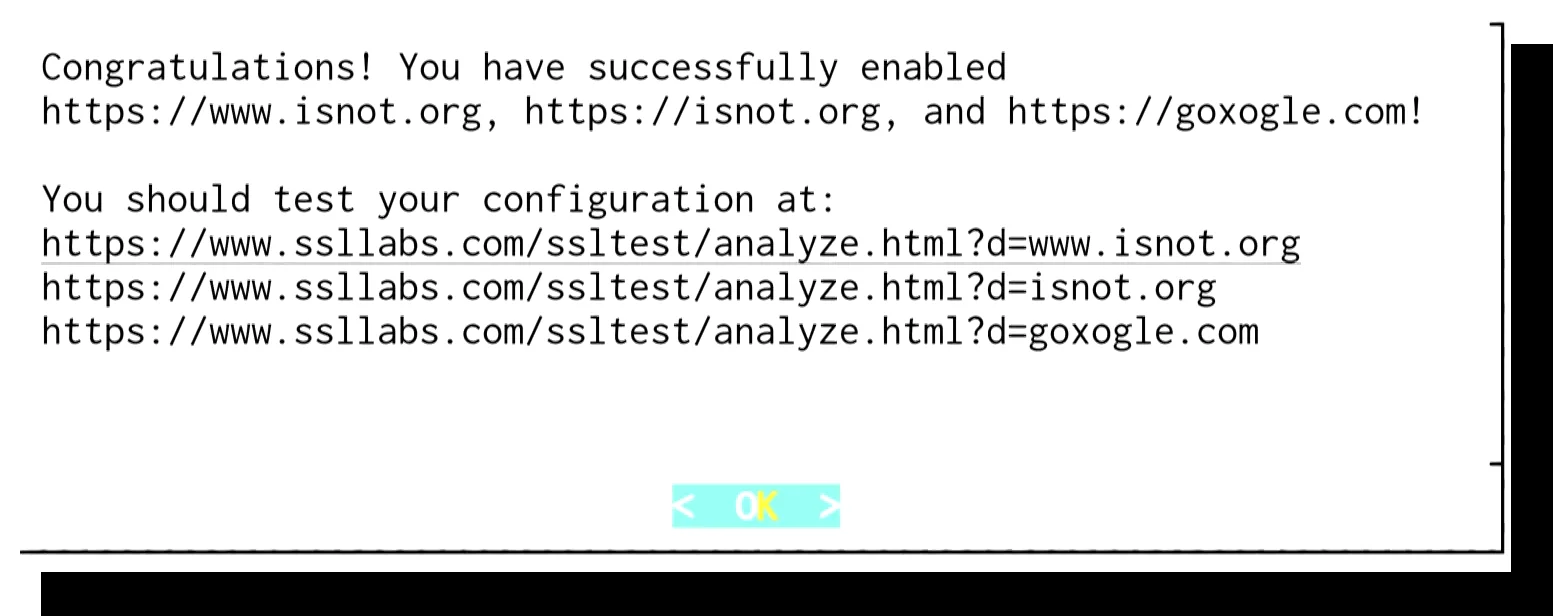
Cover image: Let’s Encrypt client terminal screen showing the ‘Congratulations! You have successfully enabled https://…’ success message with… — screenshot by Peter Eckersley, CC BY 3.0 — https://commons.wikimedia.org/wiki/File:Letsencrypt_screenshot_4_success.png