
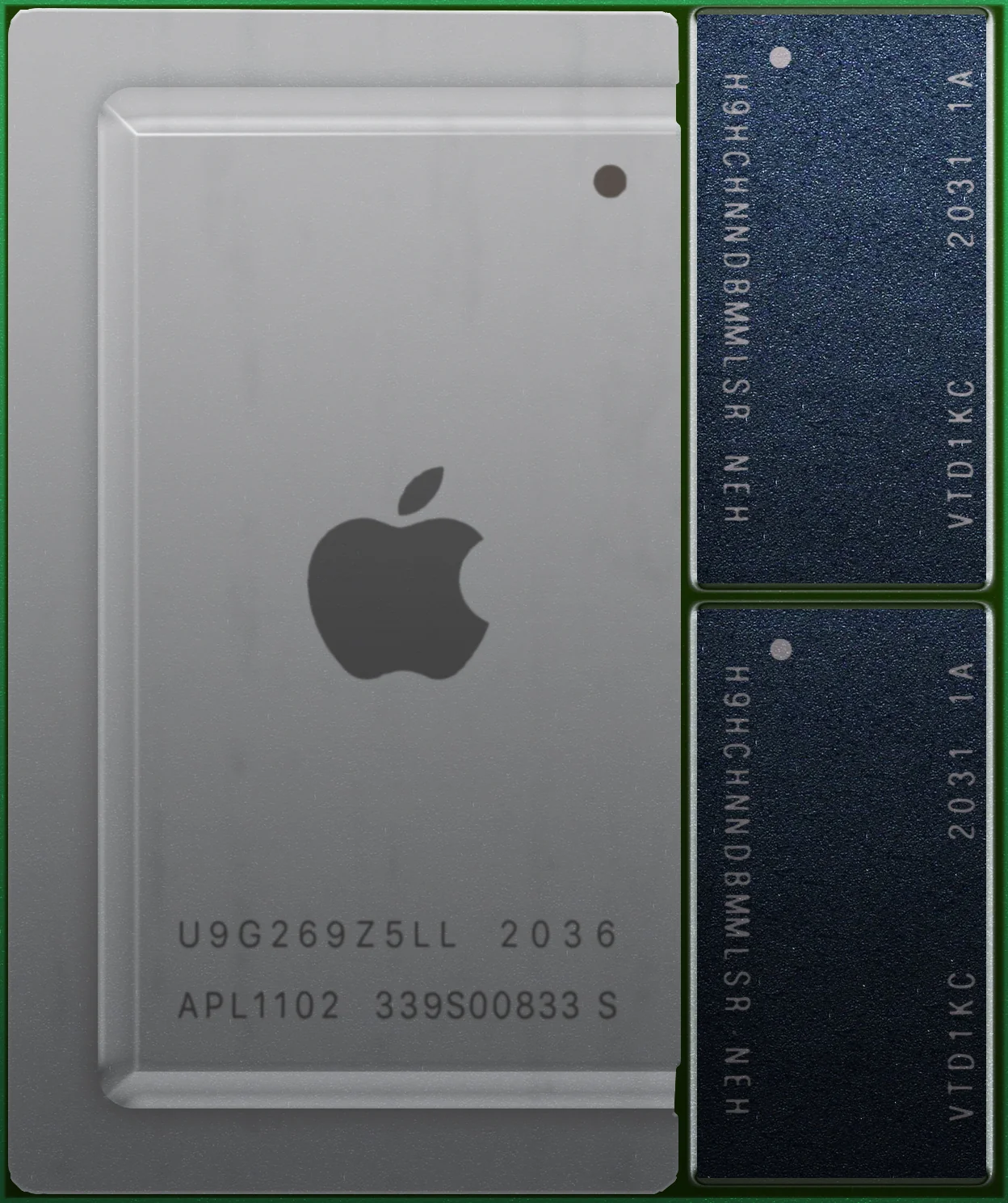
On 10 November 2020 Apple introduced the M1, an ARM system-on-a-chip (SoC) in which the CPU, GPU and Neural Engine read and write the same memory, with no copies between separate address spaces. For anyone planning machine-learning workloads, what interests me is not the benchmarks but the route the data takes: where it ends up while the computation runs, and who touches it along the way.
Context
Apple’s migration from Intel to its own architecture was announced at WWDC in June 2020; the M1 is the first chip in the line, built on the TSMC N5 (5 nm) process and stated at 16 billion transistors. It launches in the MacBook Air, the 13-inch MacBook Pro and the Mac mini, alongside macOS Big Sur. Existing x86 software runs through Rosetta 2, Apple’s translation layer.
On the architectural side the point is neither the eight-core CPU (four performance cores, codename Firestorm, and four efficiency cores, Icestorm) nor the up-to-eight-core GPU at 2.6 TFLOPS. It is how the memory is wired.
Architecture
The M1 places LPDDR4X DRAM on the same package as the compute die, in 8 GB or 16 GB sizes, with stated memory bandwidth around 68 GB/s. That memory is shared, coherently, by every unit: the eight CPU cores, the GPU, the 16-core Neural Engine (stated at 11 trillion operations per second) and the ML accelerators inside the CPU cores.
In a classic desktop PC the discrete GPU has its own VRAM, separate from system RAM; a tensor that has to move from CPU to GPU is copied across the PCIe bus. On the M1 that copy is not there: CPU and GPU see the same physical addresses. For a training run this removes a transfer step and, above all, keeps the dataset inside a single memory boundary rather than resident in two.
On the software side, on launch day there is still no mature path to train networks on this GPU while staying outside Apple’s ecosystem. The reference framework is ML Compute, which arrived with Big Sur and routes operations to BNNS on the CPU and to Metal Performance Shaders on the GPU. Apple has announced that it will shortly publish a fork of TensorFlow 2.4 (tensorflow_macos) built on ML Compute, with accelerated CPU and GPU training on both M1 and Intel Macs; the release is expected in the days after launch. It stays a single-vendor channel all the same: the programming model is Metal, not CUDA, and inference meant for deployment goes through Core ML.
The critical point
Unified memory brings out a decision that usually stays implicit: on which machine, under whose control, does the data live during training.
As long as prototyping a model needs a large discrete GPU, the practical choice for many teams is a remote machine — a shared workstation or a cloud instance. That data leaves the laptop, crosses a network, sits on third-party hardware for the whole duration of the job. For datasets that hold personal information or material under contractual constraints, this is a transfer to justify, log and, under some regimes, authorise.
A machine with 16 GB of unified memory the GPU can reach does not replace a datacentre accelerator, and 16 GB is a tight ceiling. But it widens the band of work that can stay local: prototyping, fine-tuning small models, exploring the dataset before the stage that needs bigger hardware. In that band, the data never leaves the analyst’s device. What weighs here is not speed but where the data sits.
Let me be plain about where the argument stops. Local placement is a necessary, not a sufficient, condition for control: a laptop with no disk encryption, no access management, no record of what was trained on which data is no more governable than a well-configured cloud instance. The M1 has a Secure Enclave for FileVault and Touch ID keys, and that helps with encryption at rest; beyond that it solves nothing.
Implications
For anyone who has to document data handling in an ML project, the chip’s architecture enters the analysis and does not stay a procurement detail. Three concrete points.
First: the prototyping phase on sensitive data can stay on a machine under the organisation’s direct control, cutting the number of systems that touch the data. This simplifies the map of transfers that a data-protection assessment has to describe.
Second: the single-vendor binding carries a lock-in cost. A pipeline built on tensorflow_macos and Metal does not move to another GPU without rewriting the acceleration path. Choosing this route ties part of one’s ML stack to a single supplier, and that is an infrastructure-governance decision before it is a technical one.
Third: the 16 GB ceiling sets a threshold beyond which the data has to leave the machine regardless. It is worth fixing that threshold explicitly in internal procedures, so that moving to the cloud is a reasoned, logged choice rather than a drift.
Limits
At launch the M1 is a consumer chip for laptops and small desktops; its memory sizes and GPU core counts are modest next to training hardware. The software for accelerated training is, as of now, essentially Apple’s TensorFlow fork plus the native frameworks (Core ML, Create ML): the wider scientific ecosystem runs under Rosetta 2 on the CPU, with no GPU acceleration. The throughput figures that came out in the first days should be read as indicative, measured by Apple on prerelease configurations.
Coherent unified memory is not a new idea — consoles and mobile SoCs have used it for years. With the M1 the scale changes: it reaches a general-purpose machine a developer uses as a primary working environment. That is what makes it a factor to weigh when deciding where a computation runs, and whose machine runs it.
- https://www.apple.com/newsroom/2020/11/apple-unleashes-m1/
- https://blog.tensorflow.org/2020/11/accelerating-tensorflow-performance-on-mac.html
- https://machinelearning.apple.com/research/ml-compute-training-on-mac
- https://github.com/apple/tensorflow_macos
- https://www.noze.it/en/insights/apple-silicon-m1/
Cover image: Close-up render of the Apple M1 chip package: the square compute die in the center flanked by the two DRAM memory modules on the same… — diagram by Henriok, CC0 — https://commons.wikimedia.org/wiki/File:Apple_M1.jpg