
Podman starts each container as a child process of the command that launches it, with no system daemon left listening. That is the architectural difference that separates it from docker, where the client talks to dockerd, a privileged service that is always running. The latest published version is 0.12.1.1, dated 12 December 2018, and the project is approaching its 1.0 release.
Context
Docker’s daemon model concentrates everything in a single process. The docker binary is a thin client that sends requests to dockerd over a socket; it is dockerd that creates, watches and stops containers. Two concrete consequences follow.
The first: dockerd runs as root, and the /var/run/docker.sock socket effectively inherits that privilege. Whoever can write to the socket can start a container that mounts the host’s /, and so gains root-equivalent access. The second: the daemon is the parent of every container, and a restart or a crash of it ripples through the processes it spawned.
Podman comes out of Red Hat’s container-tools team as a front-end to libpod, the library that handles the lifecycle of containers and pods. The code is in Go, under the Apache 2.0 licence. The tool follows the Open Container Initiative (OCI) specifications, whose 1.0 versions of the runtime-spec and image-spec have stood since July 2017 and define, respectively, the format of a runnable bundle and that of an image.
Architecture
With podman run the binary parses the arguments, prepares the container’s OCI configuration and calls conmon. conmon is a small C process acting as a monitor: it opens the pseudo-tty terminals, records the exit status, handles logging and stays alive as the container’s parent even after the podman command has exited. conmon then invokes the OCI runtime — runc by default — which sets up namespaces, cgroups and mounts, and finally executes the application process.
The chain is therefore podman → conmon → runc → process, with no central service. Each container has its own conmon as supervisor. With --detach the podman command returns and the container process stays attached to conmon, not to a shared daemon. Integration with systemd thus becomes direct: you write a unit that launches podman run and hand restart duties to the system supervisor, without duplicating them inside an application daemon.
The CLI mirrors Docker’s. podman run, podman build, podman pull, podman ps, podman images accept largely the same flags, and with alias docker=podman many scripts run again unchanged. The compatibility is at the command-line interface level, not the API level: there is no REST socket equivalent to Docker’s.
The critical point
Rootless is the most interesting consequence of the daemonless model. Each command is an ordinary user process, not a request forwarded to a root service: an unprivileged user can therefore create containers within their own context. The mechanism relies on the Linux kernel’s user namespaces.
When started in rootless mode, Podman re-execs itself into a new user namespace, where the user becomes root inside the namespace while remaining unprivileged on the host. UID and GID mapping uses the /etc/subuid and /etc/subgid files: each user is assigned a range of subordinate identifiers — typically 65536 — which are mapped into the namespace via the setuid helpers newuidmap and newgidmap from the shadow-utils package. So UID 0 inside the container corresponds to the user’s real UID on the host, and the container’s other UIDs to identifiers from the subordinate range.
The constraint is that without an entry in /etc/subuid and /etc/subgid, rootless mode will not start: the administrator must have set the mappings up, or useradd configures them at user creation. Version 0.12 fixed a rootless regression introduced in the 0.11 branch, a sign that the feature is still stabilising.
Implications
The model shifts responsibility for supervision. In Docker the daemon centralises restarts, restart policies and log collection; with Podman that task passes to systemd or another process supervisor. The logic moves, it does not vanish: a restart policy such as --restart=always only makes sense if something outside Podman re-runs the command.
The pod concept comes from Kubernetes’ vocabulary. podman pod create creates a group of containers that share the network namespace, and with it the same localhost and the same address. It serves to reproduce a pod’s topology locally before carrying it onto a cluster. To the same end serves podman generate kube, added in 0.12: it produces the YAML manifest for pods and services from existing containers or pods, and bridges towards the files a Kubernetes cluster reads directly.
For those building images, the same team maintains buildah for building OCI images without a daemon and skopeo for inspecting and copying images between registries without a local pull. They are separate binaries, composable in scripts, and they share Podman’s storage and image-management libraries.
Limits
Docker compatibility stops at the CLI. There is no Docker-API-compatible socket, so tools that talk directly to dockerd — docker-compose included — do not work against Podman without an adapter. There is podman-compose, a third-party project, which is not part of the project and does not share its guarantees.
Rootless has firm boundaries at this date. Rootless networking rests on a user-space stack and does not yet expose all the functions of the privileged bridge; binding ports below 1024 stays reserved to root absent explicit configuration; some storage drivers need permissions an unprivileged user lacks. Then there are the external dependencies: without newuidmap and newgidmap correctly installed and without assigned subordinate ranges, the mode will not start.
Integration with systemd is manual: at 0.12 there is no command that generates the units, and the files have to be written by hand. It is an asymmetry against Docker, where the daemon takes on that task at the cost of the centralisation Podman avoids by design.
https://podman.io/release/2018/12/12/podman-alpha-v0.12.1.1 https://github.com/containers/libpod https://www.opencontainers.org/ https://github.com/opencontainers/runtime-spec https://github.com/opencontainers/image-spec https://github.com/containers/conmon https://github.com/containers/buildah https://github.com/containers/skopeo https://www.noze.it/en/insights/podman-1-0/
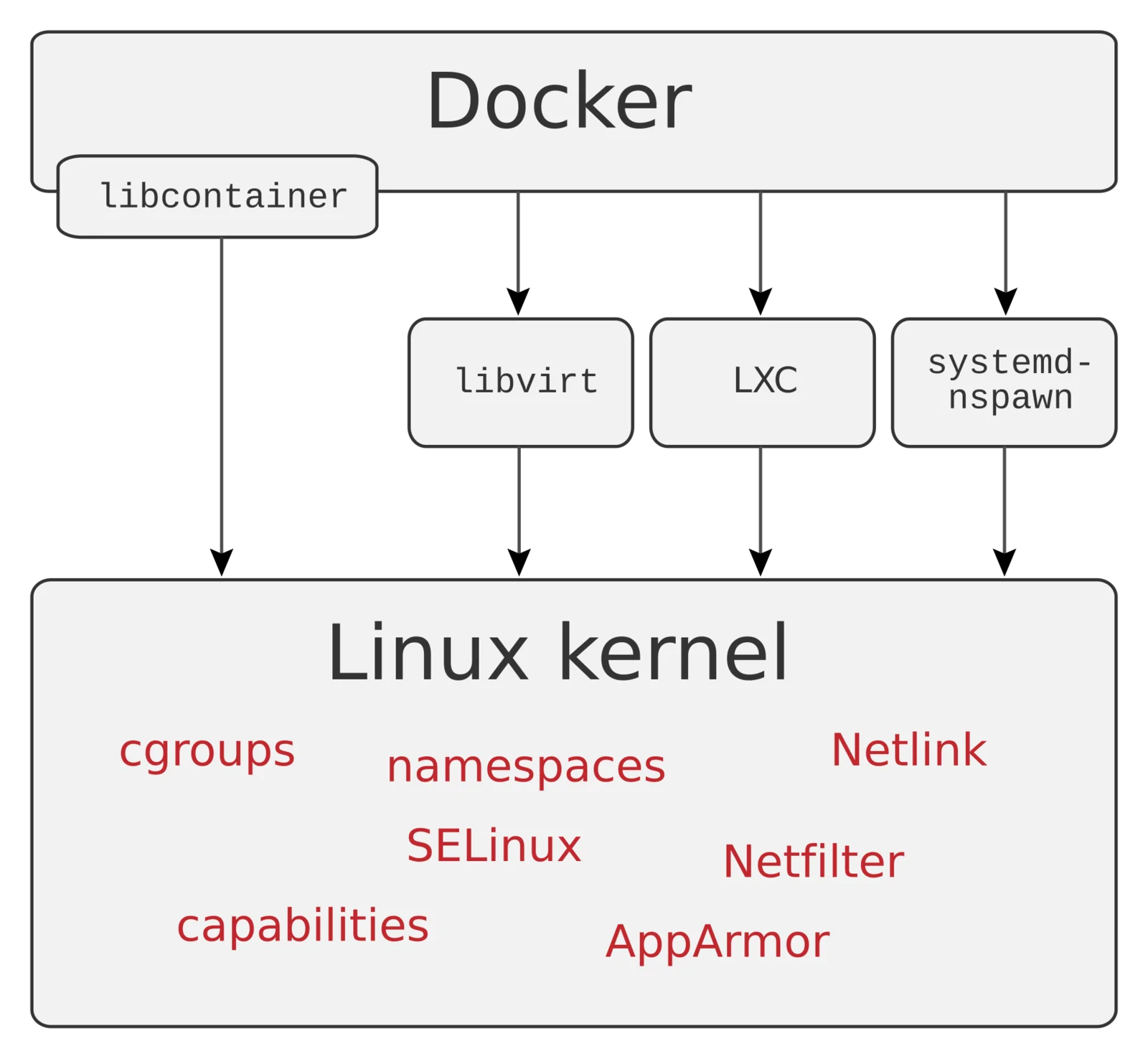
Cover image: Schematic diagram of the Linux kernel interfaces used by containers: labelled blocks for libcontainer, namespaces, cgroups,… — diagram by User:Maklaan, public domain — https://commons.wikimedia.org/wiki/File:Docker-linux-interfaces.svg